
Hidalgo County Case Lookup Starting Point
New Mexico Case Lookup is the free statewide starting point. No registration is needed. It reaches District, Magistrate, Municipal, Metropolitan, and appellate records. The catch is that a good Hidalgo County result depends on picking the right court. For a general civil matter or a felony, District Court is the sound first stop. A misdemeanor or a state traffic ticket often sits in Magistrate Court first. A Lordsburg ordinance case may need the Municipal selection. When you already know the court, search narrow and widen only if nothing turns up.
Remember that the public result is a finding aid. Case Lookup will not hand you the full document set or certified copies. Its strength is locating a case number. It confirms the court level. It also shows any public event or setting tied to the file.
The Case Lookup interface presents the statewide public starting screen for docket searches.
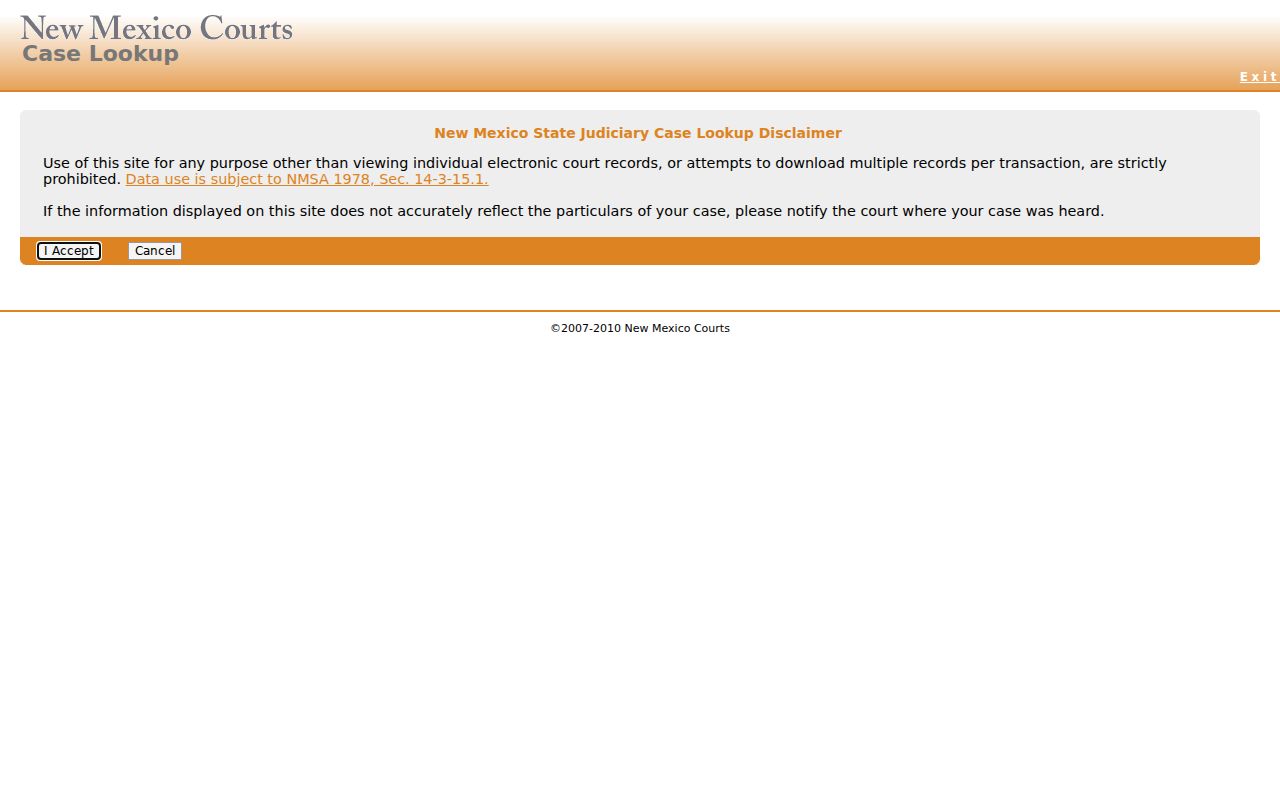
That public entry point stands apart from the clerk's case file and from registered document access.
How to Search Cases by Name
Names go in LAST FIRST MIDDLE order, per the official instructions. Skip the commas, and skip periods after initials. The search accepts much more than a name, too. Add a date of birth, court type, location, category, a filing-date range, or a hearing-date range. A broad result set shrinks fast. Because each extra field narrows the database response, leave anything unreliable blank rather than guessing. Facing a common surname in Hidalgo County? Start with the exact legal name, then lean on the court and category limits.
- Open New Mexico Case Lookup and select the name-search option.
- Enter the party name as LAST FIRST MIDDLE, without punctuation after initials.
- Choose District, Magistrate, or Municipal when the Hidalgo court is known.
- Use CR, TR, or CV and a date range only when those details are reliable.
- Open the matching public result and note its case number, court, and visible setting.
| Field | Type | Required | Use in a Hidalgo search |
|---|---|---|---|
| Name | Text | No | Enter LAST FIRST MIDDLE. |
| Driver license and state | Text and select | No | Use only when the searcher has the exact information. |
| Date of birth | Date text | No | Use the documented mm/dd/yyyy format to distinguish similar names. |
| Court type and location | Select | No | Limit to District, Magistrate, Municipal, or Metropolitan as appropriate. |
| Category and date range | Select and date | No | CR, TR, or CV can narrow a filing or hearing window. |
Hidalgo County Case Lookup Fields
The official Case Lookup instructions spell out every field behind the public search. Court Type codes follow the legacy instructions. D is District. M is Magistrate, U is Municipal, and T is Metropolitan. Categories include CR for criminal, TR for traffic, and CV for civil. One distinction matters more than it looks. A filing-date limit and a hearing or calendar-date limit answer different questions. A docket search can still find a case that has no upcoming public setting at all.
The name-field instructions lay out the narrowing controls available to searchers.
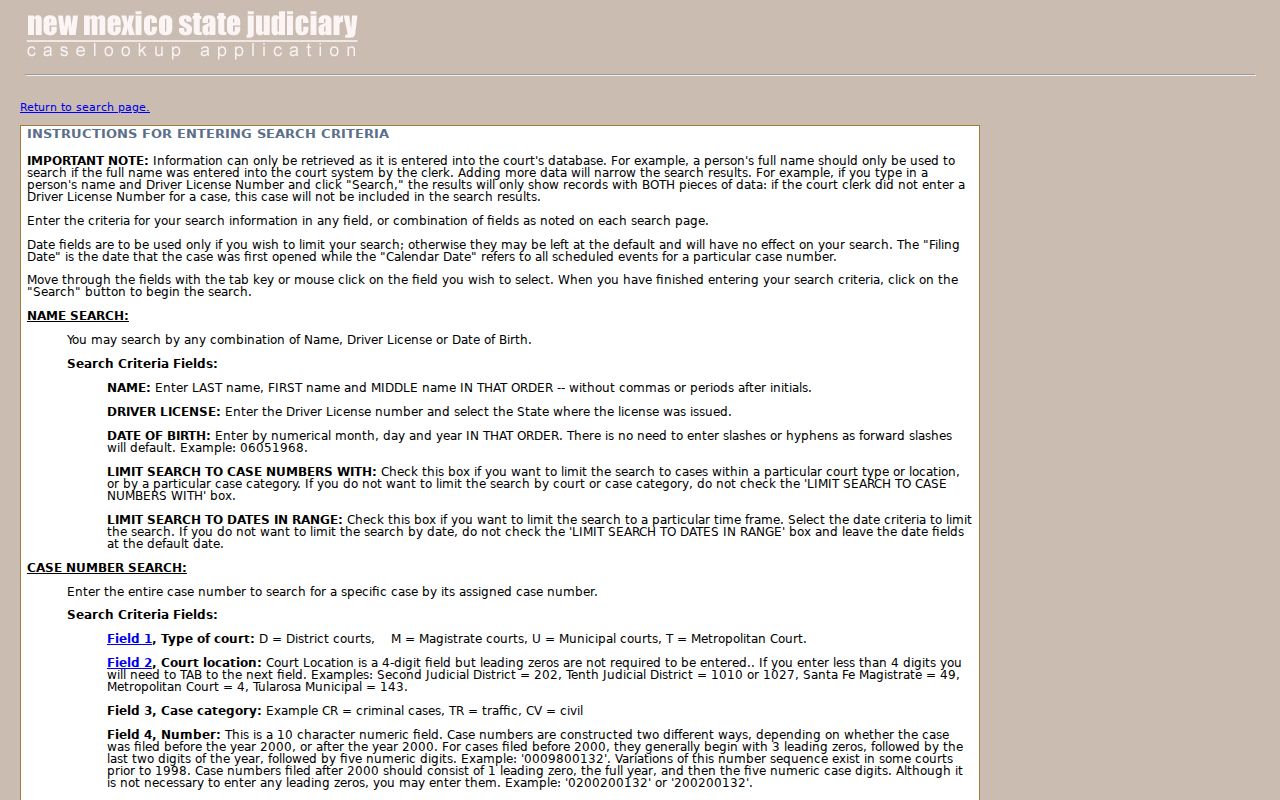
These controls make a case lookup precise, but no online entry is an official court document.
How to Search by Case Number
Nothing beats the full number. The legacy public instructions offer a five-part example, D-101-CR-200600001, whose segments mark court type, location, category, year, and sequence. Current re:SearchNM guidance uses a close cousin, like D-202-CV-2009-00052. If a portal tolerates a looser entry, a clerk still wants the number exactly as the court issued it when you call.
The leading letter is a shortcut. D commonly means District Court. M points to Magistrate Court. U, in turn, stands for Municipal Court under the public instructions. Watch for related numbers, though. An appeal or transfer can carry a second number at another court level. The digits identify the file you are searching, not every proceeding linked to it.
Hidalgo County Case Lookup Number Codes
re:SearchNM's official search guidance applies to registered users. They can drop the dashes and leading zeros inside its system. Two-digit years appear on older cases; four digits mark later ones. That flexibility belongs to the registered search alone. Be exact in a written record request. State the full known case number, the court, the party name, and the exact record wanted.
The case-number instruction screen walks through the five-part public format.
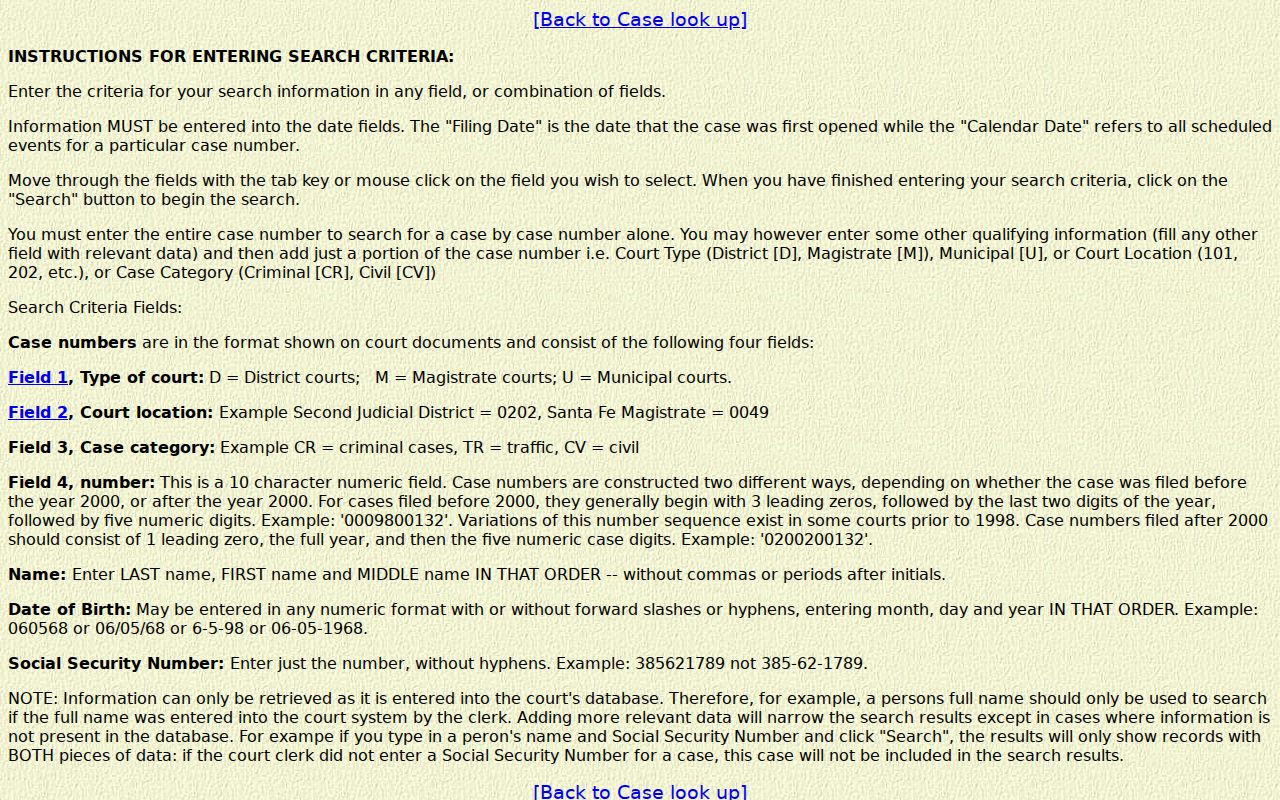
Number structure helps route a request, but only a clerk can confirm where the file sits and its current status.
What a Case Search Shows
How much a public result reveals depends on the system and the access tier. The official re:SearchNM guide lists case information, parties, hearings, filings, events, related cases, and financial entries. It also lists a Register of Actions. That Register is the chronological history of filings and court events. Case Lookup runs narrower. It provides no documents. Read any result there as an index to the court docket rather than the full file.
| Case number | The court’s identifier, often coding court, location, category, year, and sequence. |
|---|---|
| Style and parties | The case caption and the people or entities appearing in the case. |
| Case type and status | The category and reported state of the file, which can change after new events. |
| Filing date | The date the initiating document was accepted, not necessarily a hearing date. |
| Hearing and event history | Visible settings and activities, subject to access level and public-record limits. |
Hidalgo County Case Lookup Detail Limits
District and Magistrate information is reported as updating daily. Updates are said to land within about 24 hours. Yet a new event can still lag behind that window. The judiciary is blunt about limits. Case Lookup is not the official record. It omits protected personal information. It also displays no documents. Registered re:SearchNM access can reach broader case information and linked PDFs depending on the user's tier, but no tier overrides a sealing order or other access restriction.
SOPA is an older secure public-access path behind a login. Active users have largely moved to re:SearchNM, the judiciary reports. SOPA has not been fully retired because of issues. For a certified copy, neither path suffices; only the record source itself provides that.
County vs Statewide Case Search
Hidalgo County keeps no stand-alone docket portal of its own. A practical Hidalgo County case lookup starts with the statewide Case Lookup service. It then goes straight to whichever court created the record. The Sixth Judicial District Court Clerk holds the District Court records. Magistrate Court I files sit with the Magistrate clerk. Lordsburg Municipal Court offers its own city-court contact path. Let the statewide result tell you the court and the case number. Then turn to the court that holds the file. Ask it for an older matter, a copy, or confirmation of what the docket shows.
| Channel | Access and coverage | Best use |
|---|---|---|
| New Mexico Case Lookup | Free public basic information across participating court levels; no documents. | Find a likely Hidalgo case by name or number. |
| re:SearchNM | Registration and an access tier are required for broader information and permitted documents. | Review a fuller Register of Actions or available filing. |
| Hidalgo court clerk | The court holding the file provides its own record service. | Confirm a result, locate an older file, or request a copy. |
Hidalgo County Case Lookup Channels
Need a live answer on a docket entry? Phone the court that made it. The Sixth Judicial District Court in Lordsburg takes calls at 575-542-3411, extension 1. Its e-mail is lordadmin@nmcourts.gov. Hidalgo County Magistrate Court I is at 575-542-3582, and Lordsburg Municipal Court at 575-542-3124. The Probate Court lists 520-559-3230. Its published contact details have varied, so confirm by phone before relying on them. Clerks also help in person or by mail. District Court counters are open Monday through Thursday. On Friday the in-person window closes. Phone and e-mail service continue during office hours.
A formal public-record request goes through the New Mexico judicial IPRA form. It asks you to pick the court or location and describe the record with reasonable particularity. Supply contact information too. No reason is needed. Send the form to the court holding the file, since the Administrative Office of the Courts keeps no local case files itself.
Restricted Cases and Access Rules
Some Hidalgo County files never show up online. Case Lookup hides juvenile criminal information dated July 1, 2007 forward and Family Violence Protection Act order-of-protection cases from July 1, 2008 forward. Municipal coverage runs only to criminal domestic-violence and DWI historic convictions beginning September 1, 1991. None of this means the court holds no underlying file. It only limits the public display.
Sealed, expunged, redacted, and otherwise protected matters may show few details or none at all. Ask the clerk whether a public index entry or a redacted copy exists. Registering an account unlocks nothing that the access rules withhold.
Hidalgo County Case Lookup Fallback
A blank result on a Hidalgo County case lookup usually has a plain explanation. The record may predate electronic coverage. It may sit under a different name, fall into the wrong court category, or be restricted. Call the court. Give the exact name, the case number if you have it, and a rough filing or hearing date. Then ask three things. First, whether the matter is public. Second, whether that court holds it. Third, whether a paper or older file can be inspected or copied. An empty search is never a final answer about a case.
Public record route: A specific request for a docket sheet, judgment, minute order, or named filing gives the custodian a practical record description. A request for everything connected to a person is often too broad and may reach the wrong court.
Hidalgo County Register of Actions Access
Say "Register of Actions" when you want the full case history in order. That means not just one document. The re:SearchNM guide uses that phrase for filings, events, and proceedings. The District Court Clerk can walk you through requesting a docket sheet or a specific document. Either can come from a District Court file. To see how an index search differs from pulling copies from the file, read the Hidalgo County court record search details.
Plain public information works well for tracking a hearing or finding a case number. Certified status comes only from the clerk of the originating court. Confirm any record there before you rely on it.
Hidalgo County Case Lookup Kiosk Limits
Hidalgo County has no public kiosk at the courthouse for docket searches. The Sixth Judicial District's remote and hybrid hearings plan says so directly. Self-service terminals are not possible in Hidalgo District Court. They are not possible in any Sixth District Magistrate Court either. So if you need to inspect a public court file, plan the trip with the clerk rather than counting on a terminal in the lobby. A quick call can confirm what access the clerk offers and when.
The Sixth Judicial District remote and hybrid hearings plan backs another point too. When electronic case information comes up short, it encourages direct contact with the court. Note that courthouse rules bar recording devices and similar equipment unless you have written permission. So keep any request focused on the record itself and on the access method the clerk confirms.